

One source becomes usable information
Braillia reconstructs the structure and relationships people and assistive technology need.
Braillia Transform · Document transformation walkthrough
Follow the Braillia path from source intake and semantic reconstruction to independent accessible files, verification evidence, and optional guided delivery through Braillia Portal.
Guided product proof using current Braillia captures and clearly labeled representative scenes. No customer information is shown.
Braillia reconstructs the structure and relationships people and assistive technology need.
HTML, EPUB, eBraille, TXT, and accessible PDF can support familiar systems and technology.
Secure delivery, mobile reading, Braillia AI, reminders, and action support extend the experience.
Guided product walkthrough
Move through the real Braillia workflow at your own pace. Product captures show current interfaces and states; representative scenes are labeled clearly and contain no customer information.
01 / Intake
Braillia begins with the source file, the formats the organization needs, and the way the information must reach the person. The workflow is shaped around the access outcome before processing begins.
Human outcome: The organization defines usable access before the document enters processing.
Use your own source
Define the required formats, access path, security boundaries, and evidence your organization needs to evaluate.
Transformation evidence package
Review current Braillia product states, the decision each one supports, and the additional source-specific evidence your organization can request for an authorized evaluation.
Every image below is labeled as a current Braillia capture. No customer deployment or customer result is implied.
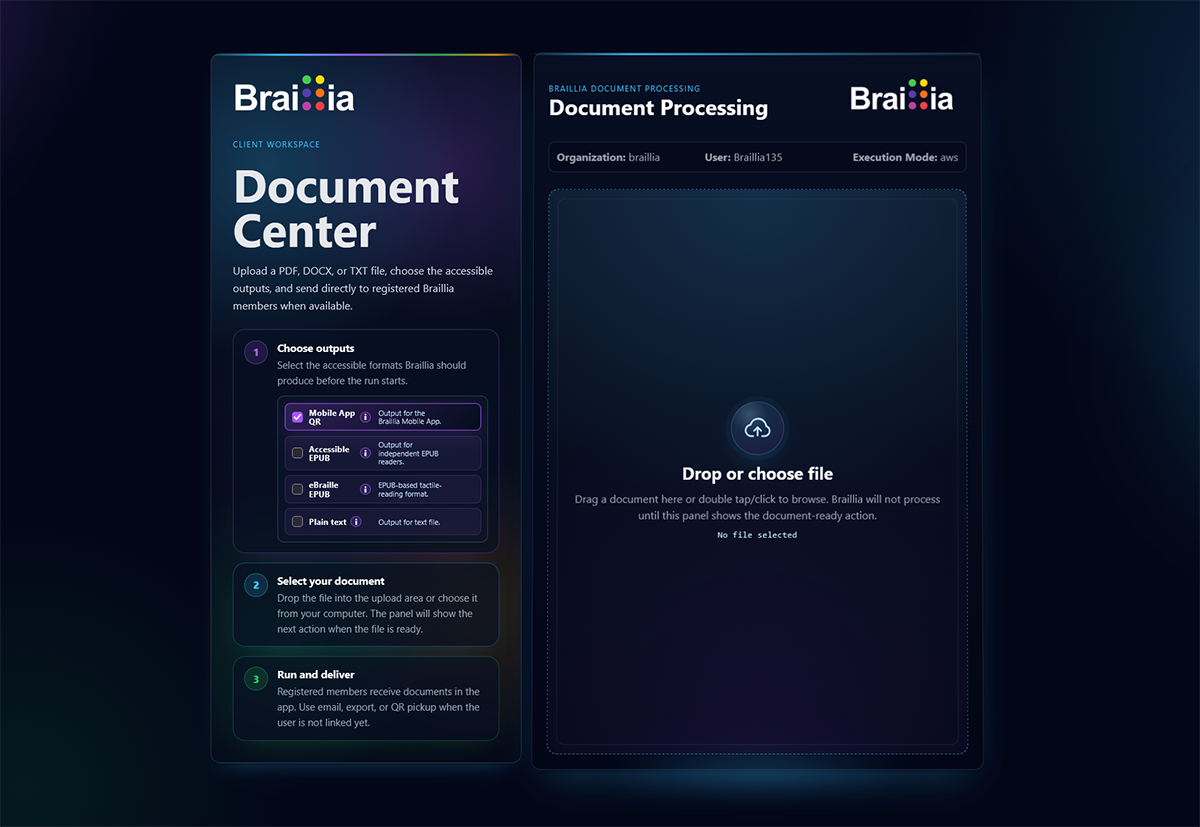
The Document Center begins with the source and the outputs the workflow requires, keeping independent files and optional Braillia delivery visible before processing starts.
Question this evidence answers
Which outputs can this workflow request, and where does the source enter Braillia?
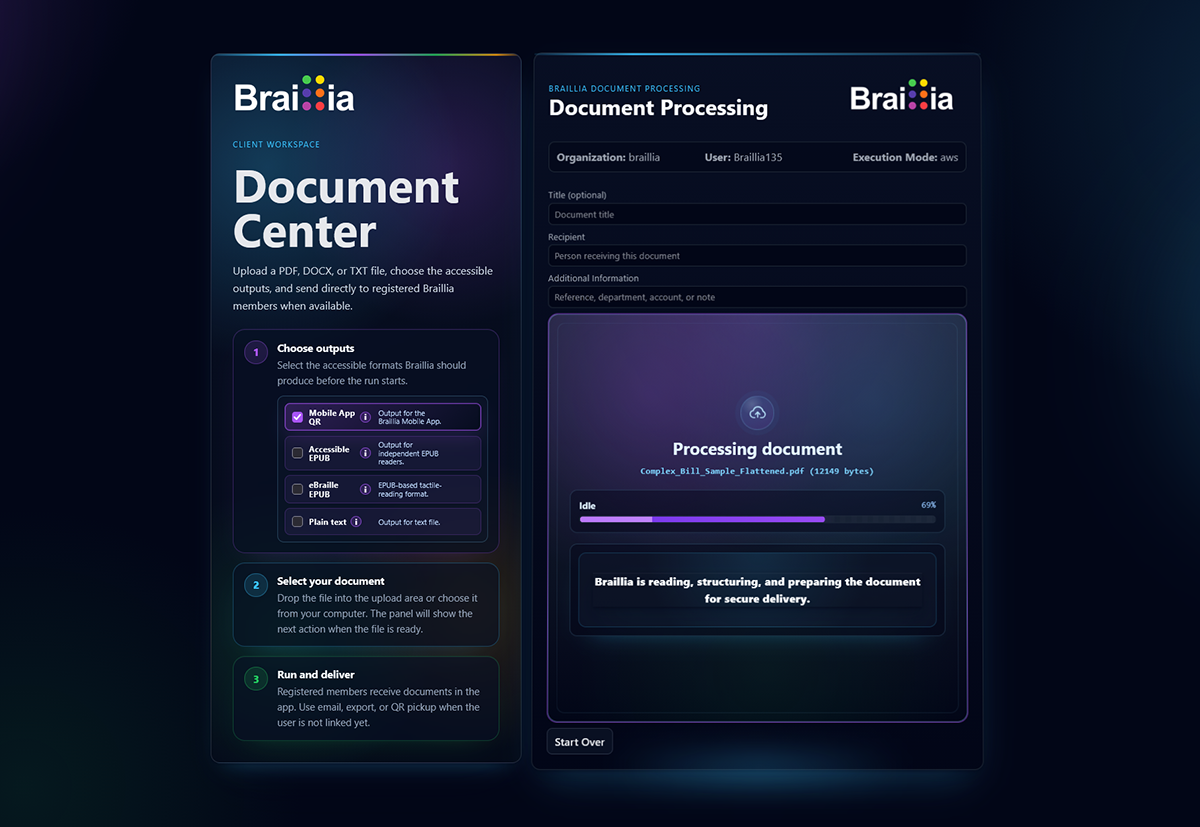
The processing workspace gives the organization a defined intake and processing state instead of separating source submission from the operational workflow.
Question this evidence answers
Can an authorized team see where the document is in the processing path?
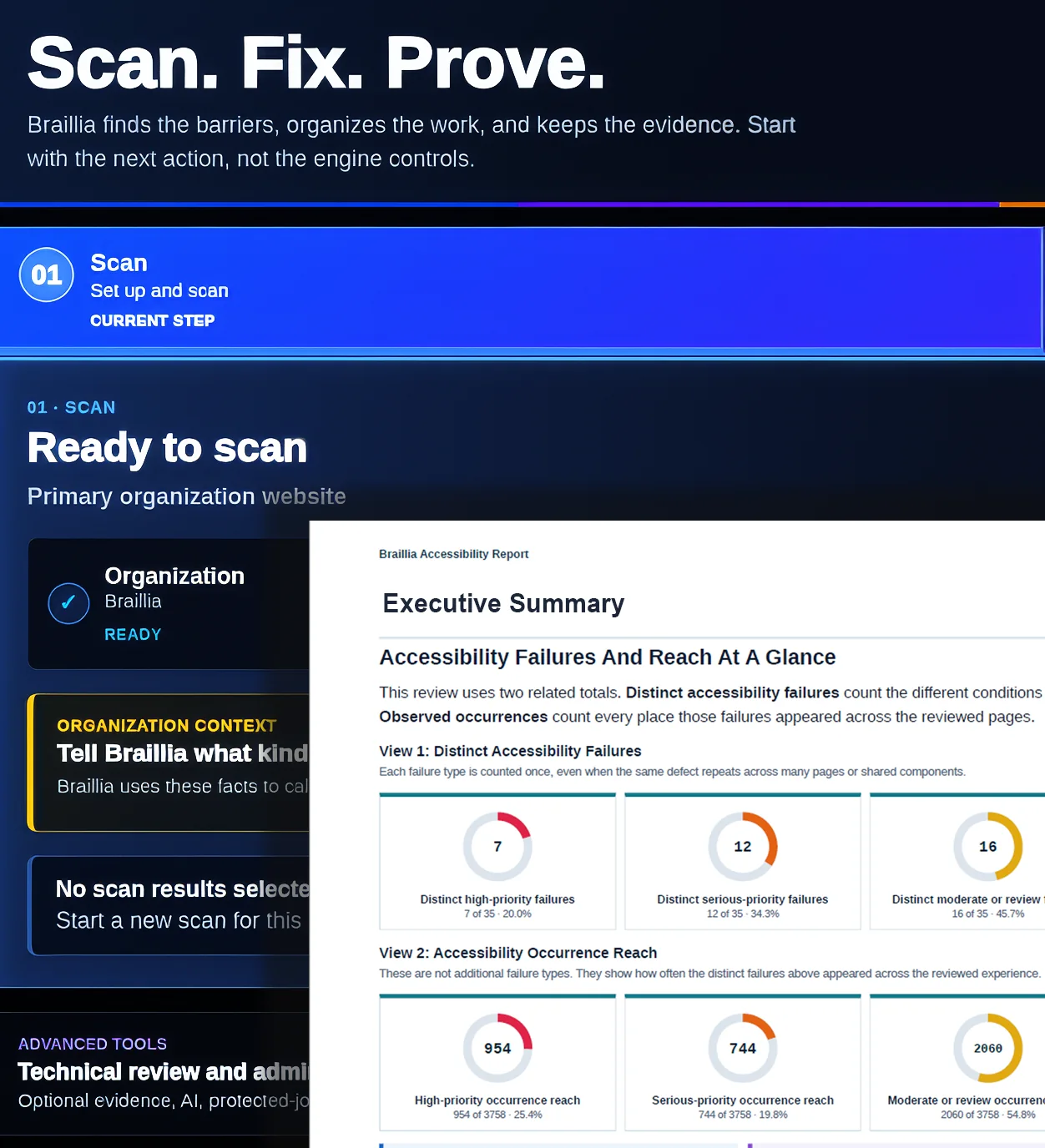
Braillia organizes distinct failures, repeated occurrences, priority, and report evidence so accessibility, operations, and technical reviewers can evaluate the same work.
Question this evidence answers
Can reviewers distinguish issue types, reach, priority, and the evidence needed for action?
Accessible output evidence
The output name is only the beginning. A useful evaluation asks where the file will work, which structure must survive transformation, and what the person must be able to understand and do independently.
Where it works
Browsers, portals, enterprise systems, and assistive technology
What reviewers inspect
Headings, regions, links, tables, labels, reading sequence, and meaningful relationships
What becomes possible
Responsive information people can navigate without preserving the source page layout
Where it works
Independent EPUB readers across familiar desktop and mobile technology
What reviewers inspect
Publication navigation, semantic structure, reflow, reading order, tables, links, and metadata
What becomes possible
A portable reading experience that adapts to the person’s chosen reader and settings
Where it works
Compatible tactile-reading workflows and eBraille-capable reading technology
What reviewers inspect
Publication structure, navigation, content sequence, tactile-reading metadata, and supported device behavior
What becomes possible
A structured tactile-reading option alongside the other accessible outputs prepared from the same source
Where it works
Simple text workflows, archives, assistive tools, and systems requiring minimal formatting
What reviewers inspect
Content completeness, logical sequence, labels, values, instructions, and text alternatives
What becomes possible
A lightweight independent file when structure-rich presentation is not required
Where it works
Workflows that require a PDF while supporting appropriate accessible structure
What reviewers inspect
Tags, reading order, headings, lists, tables, form relationships, links, language, and document properties
What becomes possible
A familiar PDF experience with accessibility work matched to the source and use case
Where it works
Secure direct delivery, QR pickup and SMS text delivery, mobile use, reminders, and document-grounded assistance
What reviewers inspect
Recipient path, navigation, prompts, question support, saved access, timing, and next actions
What becomes possible
Prepared information can gain delivery and guidance when an independent file is not enough
A source-specific evaluation gives your reviewers the authorized source, selected outputs, validation summary, known exceptions, and agreed use-path checks in one controlled evidence package.
Evaluate One SourceWhat a scoped sample adds
Public captures establish the workflow. A controlled evaluation adds the organization's authorized source, appropriate outputs, review boundaries, and agreed evidence.
The representative document, form, notice, or communication approved for the evaluation.
The HTML, EPUB, eBraille, TXT, accessible PDF, or Braillia delivery path appropriate to that source and workflow.
The structure, reading order, tables, fields, facts, actions, and exceptions the team needs to inspect.
The available checks, human-review needs, known limitations, and acceptance evidence for the agreed output.
Independent assistive-technology use and, when selected, direct delivery, QR pickup and SMS text delivery, mobile guidance, or document-grounded assistance.
Bring an authorized representative source. Braillia will help define the outputs, evidence, security boundary, and acceptance questions required for a useful evaluation.
What changes for the person
The value is measured in what the person can do after the transformation, and in what the organization can verify and improve across the workflow.
Where access breaks
A screen reader encounters weak or missing structure
What Braillia changes
Reconstruct headings, sequence, labels, and meaningful relationships
What becomes possible
The person can navigate the information with greater independence
Where access breaks
Tables, forms, amounts, or instructions lose their context
What Braillia changes
Preserve the relationships that explain what each value or action means
What becomes possible
The person can understand the information and identify the next step
Where access breaks
One fixed file cannot serve every access path
What Braillia changes
Create multiple accessible outputs from one prepared source
What becomes possible
People can choose a format that works with the technology they use
Where access breaks
Time-sensitive information still needs delivery and support
What Braillia changes
Connect the prepared source to direct delivery, QR pickup and SMS text delivery, mobile guidance, and AI assistance
What becomes possible
The person can receive, question, understand, and act while the information still matters
One prepared source
HTML, EPUB, eBraille, TXT, and accessible PDF can work across familiar systems, devices, and assistive technology.
Secure delivery, QR pickup and SMS text delivery, voice-guided reading, Braillia AI, reminders, and action support extend the prepared information.
Start with real information
We'll define the transformation, formats, access path, and evidence your organization needs to evaluate.